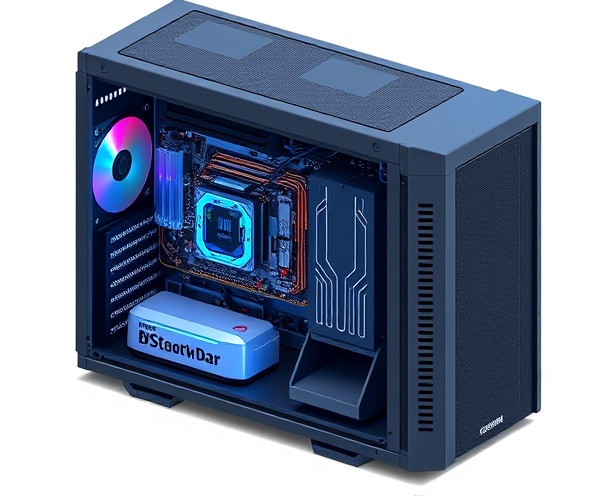
How to Build a PC
Follow these four simple steps to assemble your own computer, from part selection to testing.
Choose Parts
Select your CPU, GPU, motherboard, RAM, storage, PSU, and case. Compare options and prices to find the best fit for your needs and budget.
Assemble
Install each component into your case following the motherboard manual. Take your time with CPU installation and RAM seating—they can be finicky.
Install Software
Install your operating system and motherboard drivers. Update firmware and install any required software for your components to function properly.
Test & Verify
Run diagnostic tools to verify all components are recognized and functioning. Stress test your system to ensure stability under load.
Compare PC Parts
Browse and compare different components to find the best options for your build.
AMD Ryzen 5 5600X
Best ValueExcellent 6-core processor for gaming and productivity
Specifications
6 Cores / 12 Threads, 3.7-4.6 GHz
Best For
Gaming and content creation on a budget
costs around $200-250
Intel Core i9-14900K
Best for MarketingHigh-end processor for extreme performance
Specifications
24 Cores / 32 Threads, up to 6.2 GHz
Best For
Professional workloads and high-end gaming
costs around $600-700
NVIDIA RTX 4060 Ti
Best ValueMid-range graphics card for 1440p gaming
Specifications
16GB GDDR6, 2535 CUDA Cores
Best For
Entry-level high performance gaming
costs around $400-450
NVIDIA RTX 4090
Best for MarketingTop-tier graphics card for 4K gaming and AI
Specifications
24GB GDDR6X, 16,384 CUDA Cores
Best For
Maximum performance and 4K gaming
costs around $1500-1800
Corsair Vengeance RGB 32GB
Best ValueFast DDR5 memory with RGB lighting
Specifications
32GB (2x16GB), DDR5-6000, CAS 30
Best For
Modern gaming and productivity builds
costs around $120-150
SK Hynix Platinum 2TB NVMe
Best ValueUltra-fast PCIe 4.0 SSD for fast load times
Specifications
2TB, PCIe 4.0, up to 7,100 MB/s
Best For
System drive and game storage
costs around $150-180
EVGA 850W Gold PSU
Best ValueReliable 80+ Gold certified power supply
Specifications
850W, 80+ Gold, Fully Modular
Best For
High-performance gaming builds
costs around $90-110
Lian Li O11 Evo Case
Best for MarketingPopular case for showcasing PC components
Specifications
Dual chambers, E-ATX support, Tempered glass
Best For
Showcase builds and high-end systems
costs around $150-180
Sample Builds
Three complete PC configurations for different budgets and performance needs
Budget Build
Perfect for everyday tasks, light gaming, and content consumption
Components:
- ✓AMD Ryzen 5 5600X
- ✓RTX 4060 Ti
- ✓32GB DDR5 RAM
- ✓1TB NVMe SSD
- ✓650W PSU
- ✓Compact Mid-Tower Case
Balanced Build
Great for gaming at 1440p and light content creation
Components:
- ✓AMD Ryzen 7 7700X
- ✓RTX 4070 Super
- ✓32GB DDR5 RAM
- ✓1TB NVMe SSD + 2TB HDD
- ✓750W Gold PSU
- ✓Mid-Tower ATX Case
High-End Build
Maximum performance for 4K gaming and professional workloads
Components:
- ✓Intel Core i9-14900K
- ✓RTX 4090
- ✓64GB DDR5 RAM
- ✓2TB NVMe SSD + 4TB NVMe SSD
- ✓1000W Platinum PSU
- ✓Premium E-ATX Case
PC Pricing Guide
Understand typical price ranges and what each budget level offers. Prices vary based on sales, availability, and component choices.
Note: Prices shown are approximate and current as of 2026. Monitor pricing regularly as component costs fluctuate with market conditions.
Budget
$700 - $1,200
Entry-level gaming and everyday computing
Best for:
- • General web browsing and productivity
- • Light gaming (esports titles, indie games)
- • Video watching and streaming
- • Basic content creation
Mid-Range
$1,200 - $2,500
Solid 1440p gaming and content creation
Best for:
- • 1440p gaming at high settings
- • Video editing and rendering
- • Stream while gaming
- • 3D design and modeling
High-End
$2,500 - $5,000+
4K gaming and professional workloads
Best for:
- • 4K gaming at ultra settings
- • Professional content creation
- • Large project compilation and rendering
- • Machine learning and AI applications
Cost Breakdown Example
CPU
GPU
RAM
Storage
PSU
Case & Other
Ready to Build Your PC?
Use our comprehensive guides and comparisons to make informed decisions about your next PC build. Whether you're a beginner or enthusiast, we're here to help you create the perfect system.
Frequently Asked Questions
Everything you need to know about building your own PC
Not at all! Building a PC is easier than you might think. Most people can complete a build in 2-3 hours with just basic tools (a screwdriver). We recommend following your motherboard manual and taking your time. Check out our step-by-step guide for detailed instructions.
Still have questions?
Ask our AI assistant or send us an inquiry with your specific questions.
Chat with AI AssistantReady to Get Started?
Have questions about PC building? Our team is here to help guide you through the process.
Thank you for reaching out!
We've received your inquiry and will get back to you soon.
Something went wrong
Please try again or email us directly at hello@pcbuilder.com